
For the next AI prompt example, I am going to give you a bit of background.
I am involved in a ministry called Spectra Arts at Fellowship Bible Church of Northwest Arkansas. Artists which range from painters and photographers to ceramicists and poets, create art inspired by the sermon series which is displayed in the lobby of one of the three campus congregations and shared online.
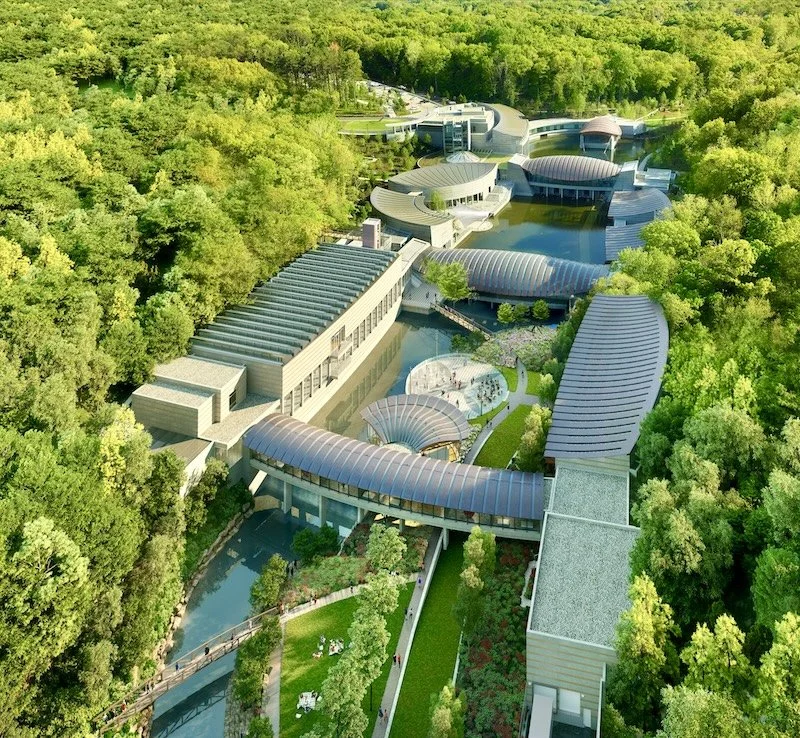
The fall series is upon us and I organized two inspiration tours of the fantastic Crystal Bridges Museum of American Art. Just finished up the second one yesterday and over 35 artists participated spending time with 9 art pieces exploring themes from John 13-17 (the passages we will cover in the series) and what the artists’ themselves were teaching us about art techniques, color palettes, and materials.
AI played a role in my preparation in three ways: research, creative design, and web publication. This time I primarily used ChatGPT (pro subscription).
Research: After studying the passage for themes that might be applicable to an artist’s work (and these chapters are full of rich themes like love, unity, hope, remembrance, dusk, vines/branches, etc), I set about finding works that might go. I prompted AI to go to the website for Crystal Bridges and provide me works that were on display and might align to the themes for consideration. It had dozens and dozens of suggestions. I picked my favorites and did rough write ups for each. This research step, curating a first pass for consideration, saved me hours of clicking through every piece in the museum’s impressive collection.
Creative Design: Once the initial write up was created, I loaded it into AI and asked it to create the layout of a printed guide that visitors might use to go through the museum. Along with my art selections and draft write-ups, I provided AI a color scheme, web resources, and what I wanted to show at each “station.” I had it create the document in Microsoft Word, so that I could edit it, which I did extensively, reorganizing the materials, editing the copy, and the like. Having an initial layout of the document and having a solid draft to start from was a huge time saver, allowing me to multi-task on my own spot research and additional reflection.
Web Publication: I created a beautiful 33 page guide for the artists that were to attend the tours, but when I went to print them, they were going to be too expensive. So, I loaded the final document into AI and asked it to produce an HTML website that was interactive and allowed people to record notes on their own device. Then I asked for ideas of where I should host the HTML (for free) and it suggested Netlify and provided step-by-step instructions on publishing on that platform. This whole step took less than 30 minutes and saved over $750 in printing costs. I asked AI to create me a QR code that linked to the website as an image and I created a little one pager that I printed out at home and brought to the tours for hand-written notes and to point people to the online resource.
In the end, the tours were very well received and the website lives on as a resource for those who didn’t get to attend. It includes reference images of each work, so that individuals who live outside the area might find it a useful reference as well.
You can access the web app here: https://spectraarts.netlify.app/
The work flow I described above could work for a variety of applications in non-profit, educational, or commercial settings. Maybe you are doing a corporate training and want to convert your curriculum into a learning app for your participants? Maybe you have a printed document or non-fiction book you’d like to turn into a participant guide or online workbook? Maybe you have some rough ideas and want to turn them into a publishable book (the Word document that became a PDF would certainly be appropriate for print publication, although to a narrow audience).